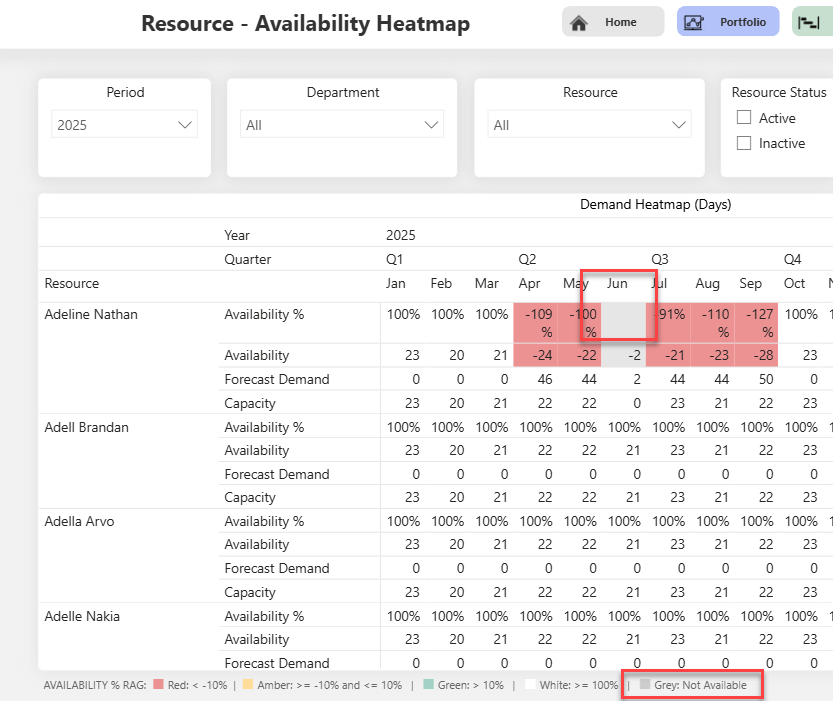
Bug Fix: Availability% incorrectly shown as Amber instead of Grey
The layout of the Resource\AvailabilityHeatmap report was updated. The Availability% RAG logic was revised to correctly display grey when the percentage is blank—typically due to a resource having no capacity. Previously, these cases were incorrectly shown in amber.
To improve clarity, the alternating row color was changed to white. As a result, all value cells in the matrix visual now have a white background by default, and only the RAG color is used to highlight availability status.