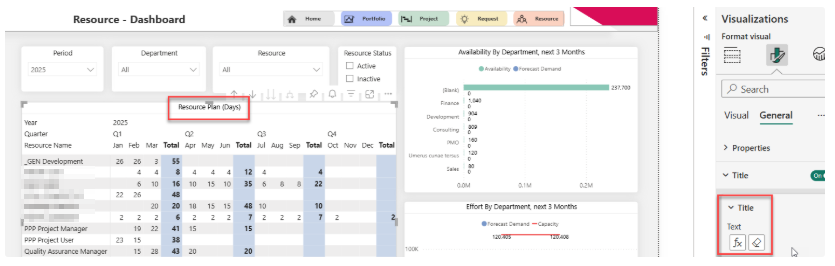
Config added to switch Resource Plan view between days/hours
The vanilla default is days, however with CoReSuite integration, the config must be hours; additionally, the client may choose a custom config like days/hours/etc. for their deployment. Although, for vanilla, we assume days - we are removing all references to the unit in the fieldnames and measures.
Added a new report parameter to the model "Resource Plan Unit Label", the value is stored as text so one can also manually type the label value into the pbi service parameter dialogue if so needed.
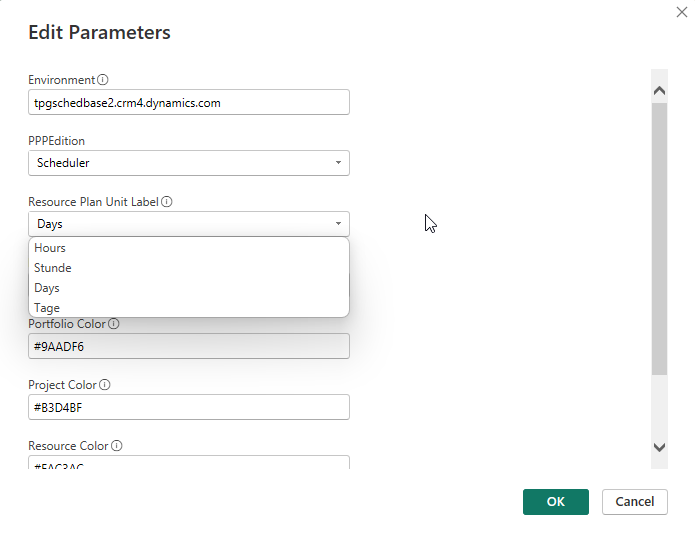
The following Model changes were made:
DEFINE
MEASURE 'Resources Capacity'[_Resource Demand Forecast] = SUM( 'Resources Capacity'[Forecast Demand] )
//vanilla default is days but can be days/hours/etc. depending on deployment config.
DEFINE
MEASURE 'Resource Plan'[_Display ResourcePlan Dashboard Title] = "Ressourcenplan (" & 'Resource Plan Unit Label' & ")"
MEASURE 'Resource Plan'[_Display ResourcePlan AvailabilityChart Title] = "Aufwand (" & 'Resource Plan Unit Label' & ") vs. Kapazität"
MEASURE 'Resource Plan'[_Display ResourcePlan AvailabilityHeatmap Title] = "Heatmap Ressourcenbedarf (" & 'Resource Plan Unit Label' & ")"
MEASURE 'Resource Plan'[_Display ResourcePlan Time Title] = "Ressourcenplan (" & 'Resource Plan Unit Label' & ")"
The following Layout changes were made:
Resource\Dashboard - set title of main table to use measure "_Display ResourcePlan Dashboard Title".
Resource\Availability Chart - set title of main table to use measure "_Display ResourcePlan AvailabilityChart Title".
Resource\Availability Heatmap - set title of main table to use measure "_Display ResourcePlan AvailabilityHeatmap Title".
Resource\Plan (Time) - set title of main table to use measure "_Display ResourcePlan Time Title".