Copy Timesheet Entries to other Periods
A new Copy to Period feature has been added to Timesheets, making it easier to reuse recurring work across reporting periods.
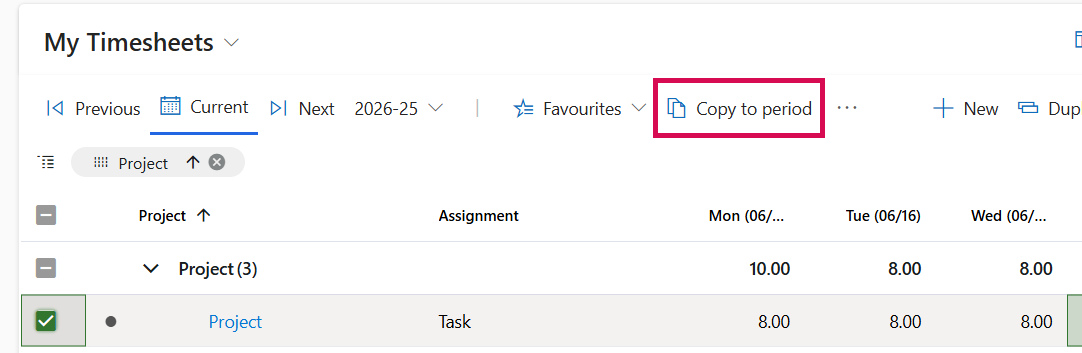
When one or more timesheet entries are selected, the Copy to period button becomes available. Selecting it opens a dialog where users can choose one or more destination periods to which the selected entries should be copied.
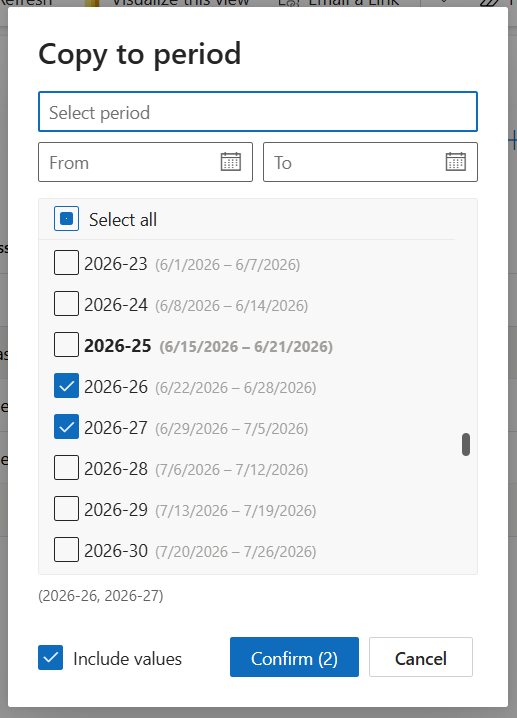
The dialog includes:
▪Search functionality to quickly find periods
▪Date range filters for easier navigation
▪Highlighting of the current period
▪An Include values option to control whether reported hours are copied together with the selected tasks
This feature helps reduce manual data entry and simplifies the creation of recurring timesheet entries across multiple periods.