Filter Resource Utilization by selected Tasks
|
Resource Planning > Timephased Planning > Filter Resource Utilization by selected Tasks |
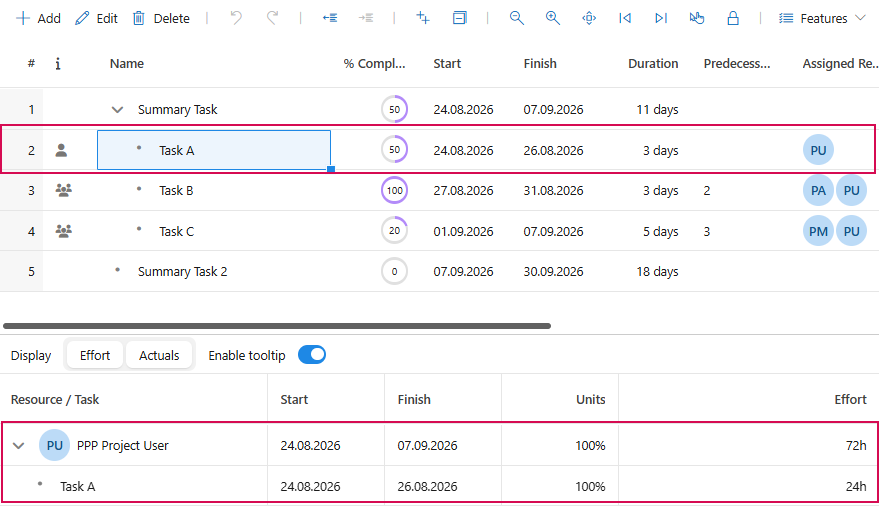
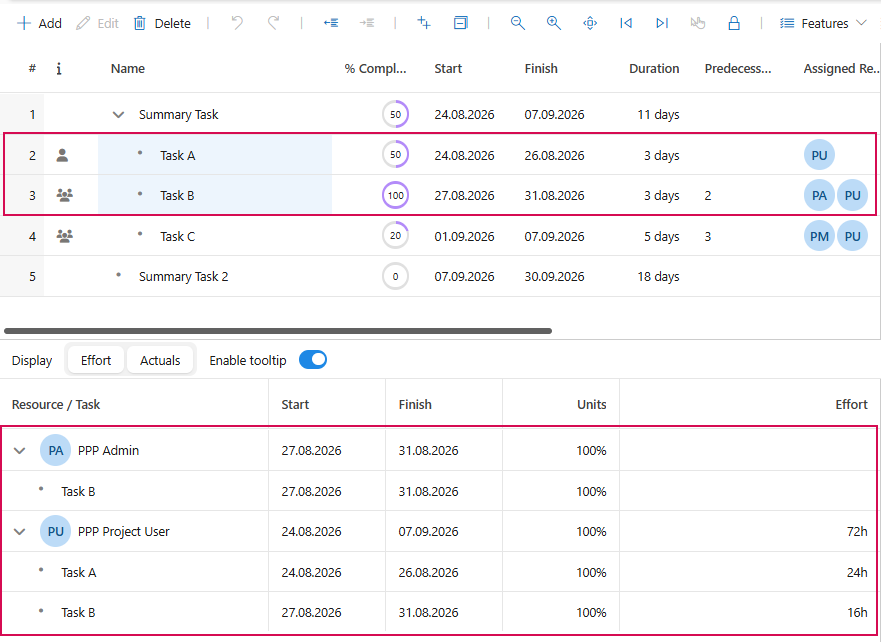
When you select one or more tasks in the Gantt chart, the Show resource utilization view automatically displays only the resources and assignments associated with those tasks. This allows you to check the resource status for selected tasks without having to search manually.
▪When a single task is selected, only the resources assigned to that task are displayed.
▪When multiple tasks are selected, all resources assigned to at least one of the selected tasks are displayed.
▪The view updates automatically as soon as the task selection changes.