Change or Remove Roles
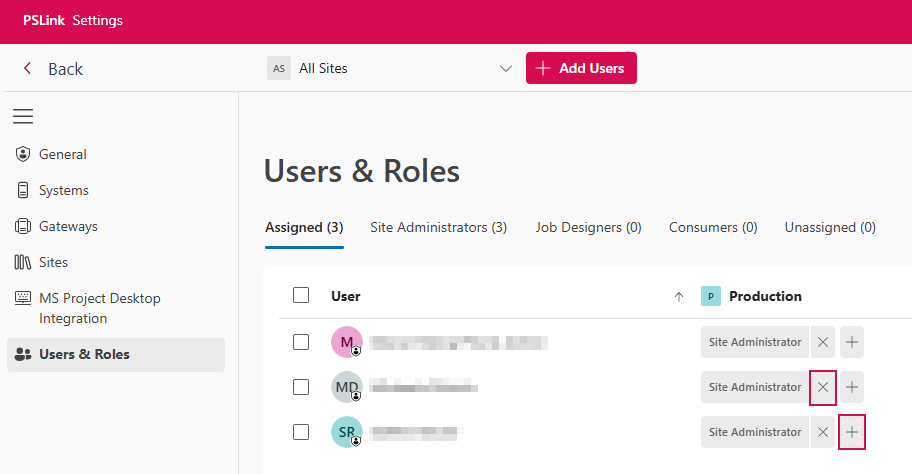
Remove a Role:
➢Select the desired user.
➢Click the X next to the relevant role.
▶ The role assignment is removed immediately.
Replace a Role:
➢Remove the existing role by clicking X.
➢Add the new role by clicking +. (s. Assign Roles)