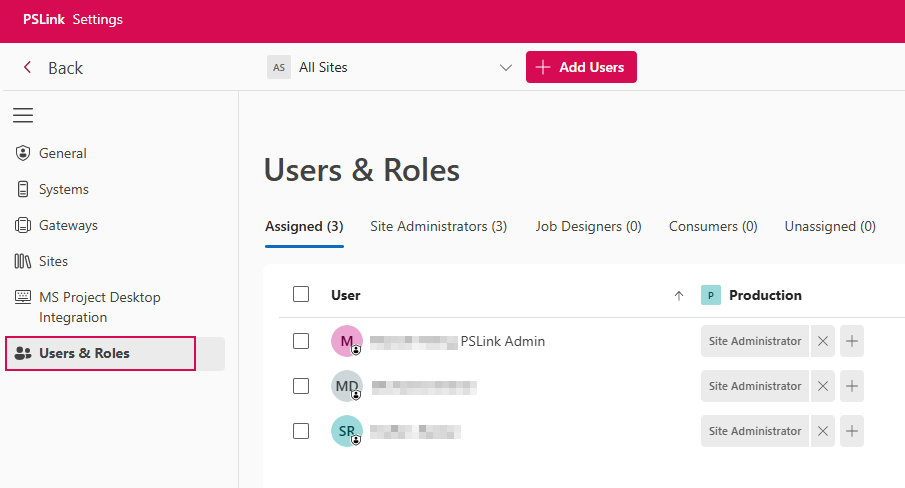
Open User Management
To open the user management section, follow these steps:
➢Log in to TPG PSLink.
➢Click the gear icon in the header bar to access the Settings section. (s. Navigation Bar)
➢Click Users & Roles in the navigation bar.
This is where all users, groups, and applications for the tenant are created, listed, and managed.