Calendars

The Standard Calendar is defined as eight work hours per day from Monday to Friday. You can edit the calendar or add a new one.
▪To add a calendar, click Add above the Calendars table.

▪Enter a name for the calendar and click Update.
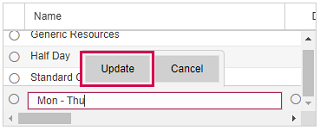
▪Expand the table.
▪If you want the calendar to be used as default, select the checkbox in the Default column.
▪Define the number of work hours for each day of the week and click Update.

The next step is to add workday exceptions to the calendar. If the Exceptions table does not contain the necessary dates, first define exceptions.