Defining exceptions
The Exceptions table provides a list of holidays from work that can be added to specific calendars per year.
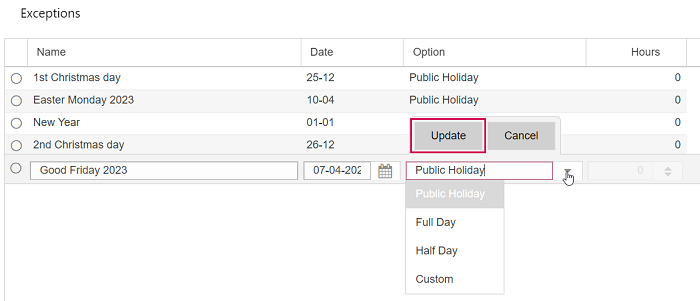
▪To add an exception, expand the Exceptions table and click Add above the table.
▪Fill out the fields.
The date is selected from the calendar of the current year but only day and month will be relevant. The exceptions in this list can be linked to any year of a calendar. Therefore, it is recommended to add the year to the name of dynamic holidays.
The default value in the Options column is Public Holiday. For other kinds of exceptions, select an option. With Custom, you can define the number of work hours for that day in the Hours column.
▪Click Update.
The exceptions can be added to a calendar individually or in groups.