Column Special Configuration
|
Configure Settings for Content Pages > TPG Scheduler Configuration > Column Special Configuration |
This filter function for lookup fields allows you to specify which records are displayed to users in selection fields.
▶ All required fields are marked with a red asterisk.
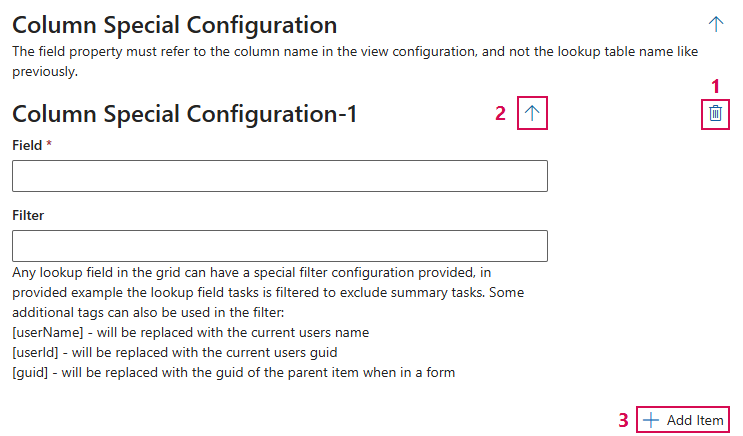
➢In the Field field, enter the column name from the Scheduler view configuration..
➢In the Filter field, enter the desired filter. Use the following pattern: “tpg_[column name],” e.g., tpg-progress.
Additional editing options:
➢Click the Delete icon to delete a field. (1)
➢Click the up or down arrow to expand or collapse the desired column configuration. (2)
➢Click Add Item to add a field. (3)
Complete the configuration:
➢Click Submit at the very bottom to apply the settings.