Custom Print Header Configuration
|
Configure Settings for Content Pages > TPG Scheduler Configuration > Custom Print Header Configuration |
This option allows you to customize the header for PDF exports. The default header displays the project name, the print date, and the page number. In addition, you can use the settings to configure various project fields to appear in the PDF header.
The following editing options are available:
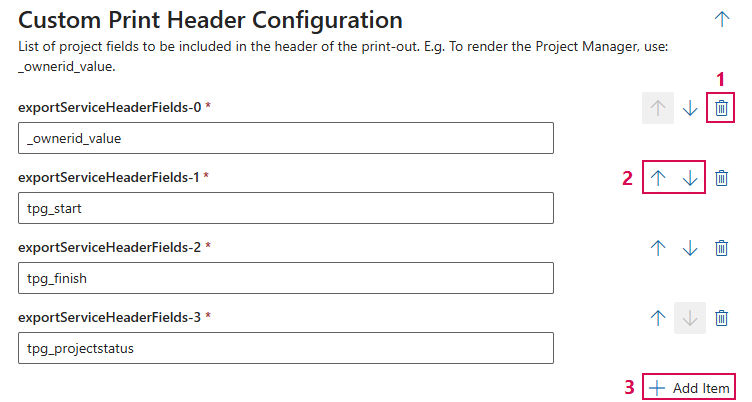
➢Click the delete icon to delete a field. (1)
➢Click the up or down arrow to change the order of the fields. (2)
➢Click Add Item to add a field. (3)
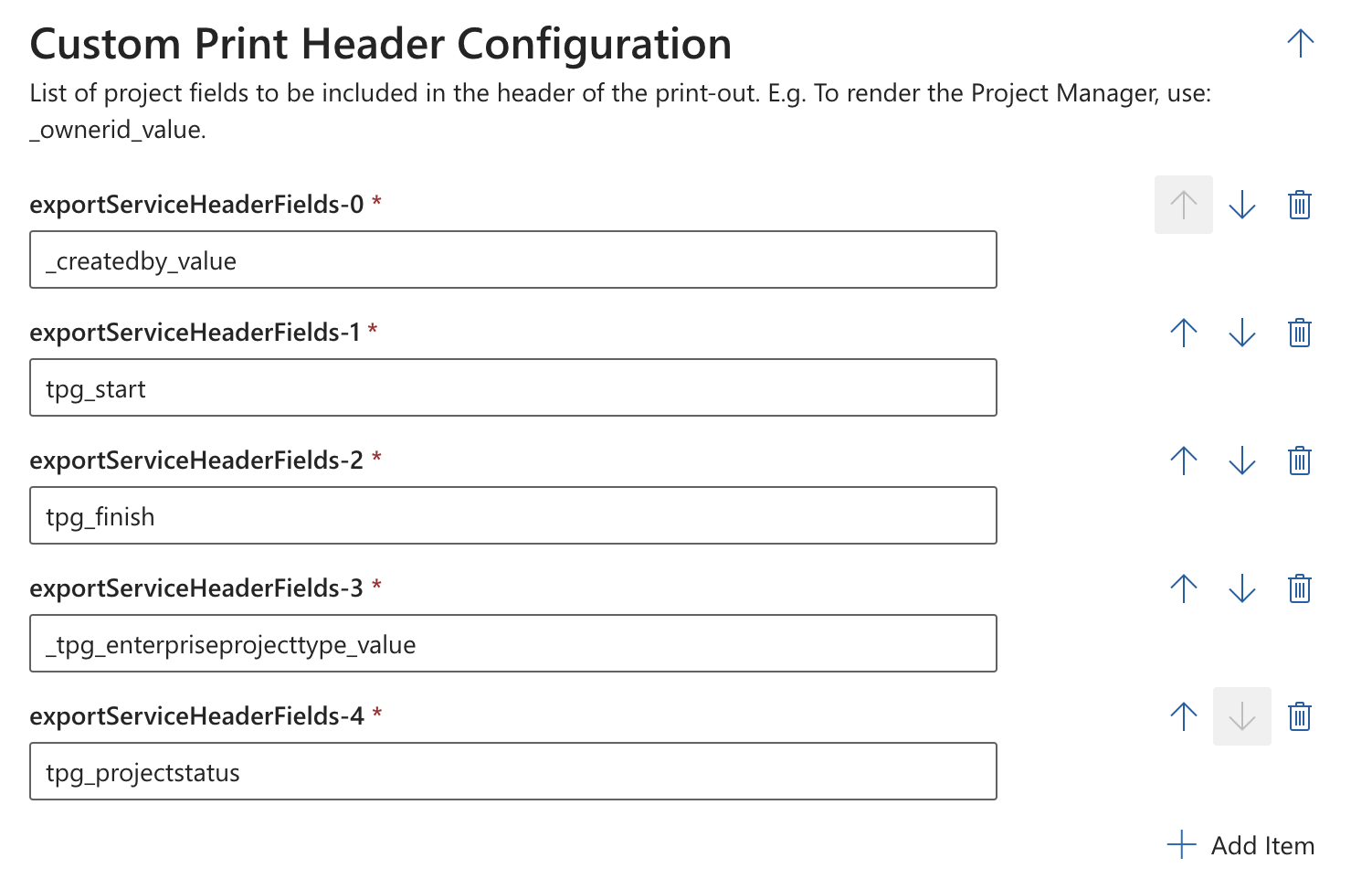
Example of a custom print header configuration:
In this configuration, the project manager's name is displayed in the first field. In addition, the configuration is set up so that the start date, end date, project type, and project status are included in the PDF header.
▶ All required fields are marked with a red asterisk.
Example of a PDF file exported using this configuration:

Complete the configuration:
➢Click Submit at the very bottom to apply the settings.