Users

In this view, you add or delete users and define their access rights for the CoReSuite.
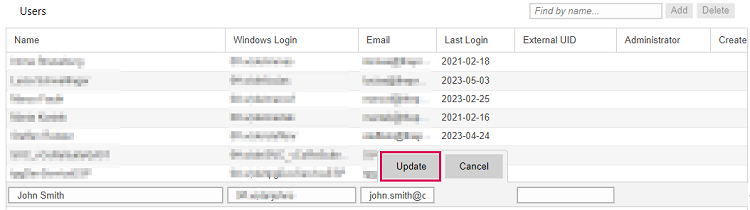
▪To add a user, click Add on the right above the table.

▪Fill out the fields.
Empty fields with a red border are required.
▪Click Update.
▪Click Save at the bottom left.
▪Select the user to define their permissions.
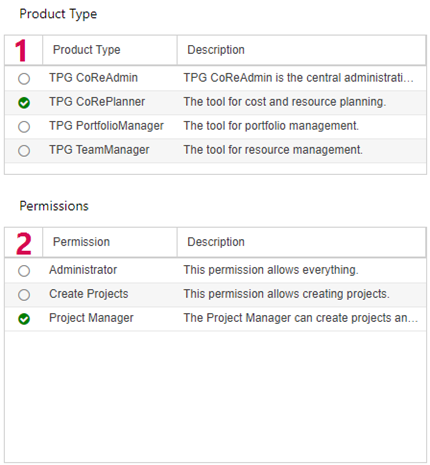
▪To grant access to components of the CoReSuite, select the appropriate checkboxes in the Product Type table (1).
▪In the Permissions table, select the permissions you want to grant to the user (2).
➤ To be able to create and edit scenarios, a user of TPG PortfolioManager needs at least Create Portfolio permissions and access to TPG CoReAdmin. Alternatively, you can grant the user Administrator permissions for TPG PortfolioManager. This includes extensive permissions also in CoReAdmin.
For users of TPG TeamManager, you specify permissions on individual teams by assigning roles in the Teams view.
For permissions to edit specific teams or portfolios, refer to Teams or Portfolios.
▪If you want to delete a user, select them and click Delete on the right above the table.
