Task Edit form customisation
|
Configure Settings for Content Pages > TPG Scheduler Configuration > Task Edit form customisation |
This option allows you to customize the edit form for operations. For example, you can:
▪show or hide individual fields
▪show or hide tabs
▪change the order of fields
In the following example, the %Complete field is displayed on the General tab:
➢Click the arrow to open the generalTab option.
➢Under items, select the percentDone checkbox.
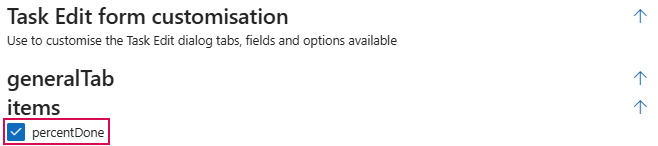
▶ The %Complete field appears in the task editing form.
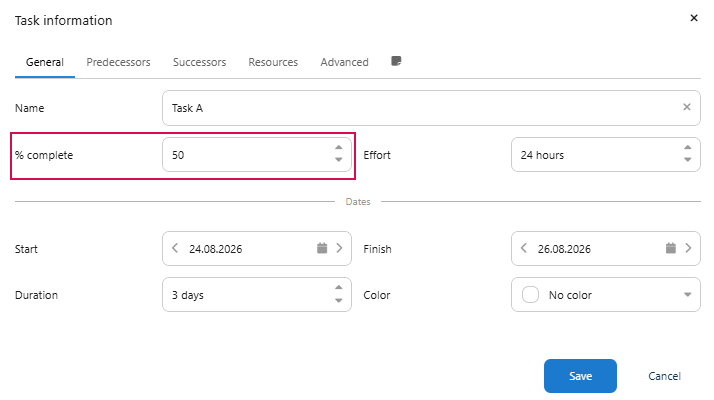
▶ To customize the form, you can configure the standard tabs and their elements as needed. For a complete overview of all available tab and element names, see the official Bryntum Documentation.
Complete the configuration:
➢Click Submit at the very bottom to apply the settings.